
Joe FacebookLive Chat
joko_jwc@yahoo.com
 Visitors
|
Translate
Visitors World
|


| Free Download Theme, Game dan Aplikasi Symbian Terlengkap Free Symbian OS | 20.29 |
|
komentar (0)
Filed under:
Hanphone
|
|


Beruntung bagi sobat yang punya HP symbian, karna apa..?
HP symbian banyak keunggulannya dari pada tipe HP lain, jadi patut berbangga bagi sobat yang punya HP symbian.
HP sybian selain fiturnya yang lengkap, ternyata Situs penyedia game dan aplikasi symbian juga ada tersendiri. Di sana kita bebas menggunakan aplikasi dan game Khusus pengguna symbian.
Langsung aja deh ke TKP dari pada panjang lebar.
Di sana semua tipe symbian sangat banyak dan lengkap tentunya.
Mau download dan borong borong software dan aplikasi game HP symbian kan.?
Klik di sini, atau kunjungi http://www.freesymbiansoft.com/.
Game untuk symbian tipe : Fujitsu, Nokia, Sendo, LG, Siemens, Benq, Lenovo, Motorola, Panashonic, Sanyo, Samsung, Sony Ericsson
By : Joe
| Cara Reset Password SU pada CentOS | 21.51 |
|
Filed under:
|
|
In this post will guide you simple steps to reset forgotten root password in RHEL, CentOSand Fedora Linux with example. There are various ways to reset root password which are.
- Booting into single user mode.
- Using boot disk and edit passwd file.
- Mount drive to another system and change passwd file.

Reset Forgotten Root Password
Here, in this article we are going to review “Booting into single user mode” option to resetforgotten root password.
Cautious: We urge to take backup of your data and try it out at your own risk.
STEP 1. Boot Computer and Interrupt while booting at GRUB stage hitting ‘arrow‘ keys or “space bar“.
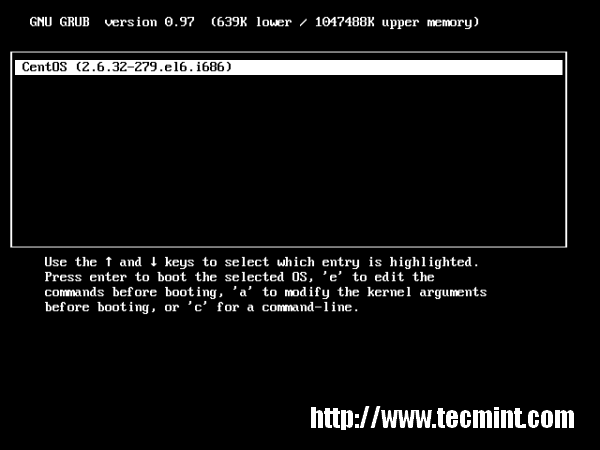
Booting GRUB Stage
STEP 2. Type ‘a‘ to modify kernel argument. Anytime you can cancel typing ‘ESC‘ key.
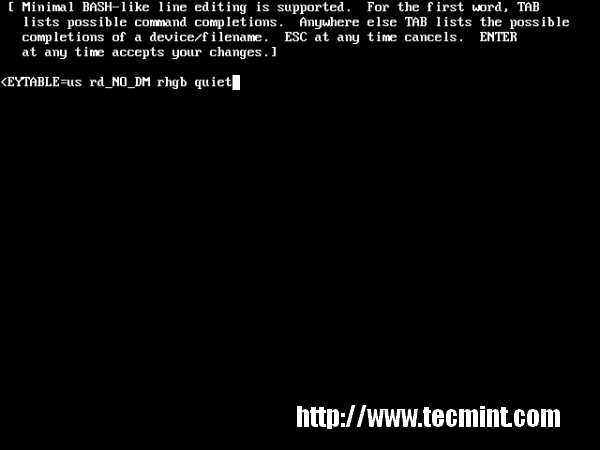
Modify Kernel Argument
STEP 3. Append 1 at the end of “rhgb quiet” and press “Enter” key to boot into single user mode.
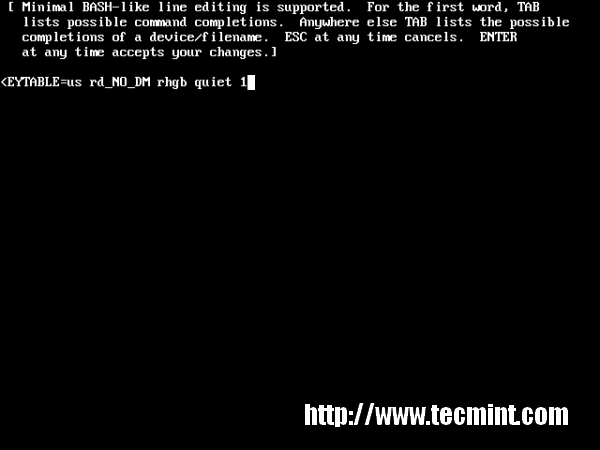
Append 1 at the Screen
STEP 4. Type command “runlevel” to know the the runlevel where you are standing. Here “1 S” state that your are in a single user mode.
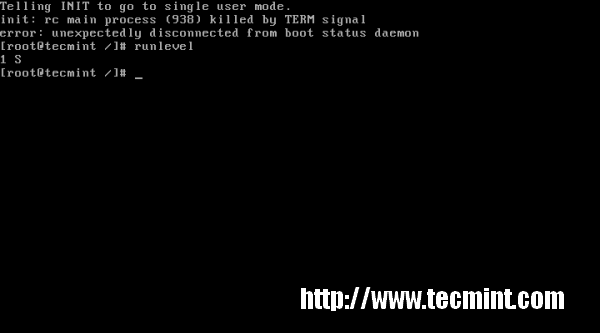
Type Command runlevel
STEP 5. Type ‘passwd‘ command without username and press ‘Enter‘ key in command prompt. It’ll ask to supply new root password and re-type the same password for confirmation. “Your are Done” Congratulation!!!
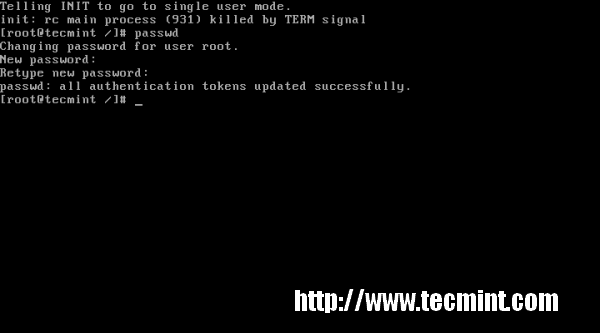
Type passwd Command
What if GRUB bootloader is password protected? We’ll cover in our next article, how to protect GRUB with password and reset the same. Stay tuned…
Langganan:
Postingan (Atom)